
DIY TROUBLESHOOTING
Useful checks.
One problem at a time.
Choose the problem you are having, then follow its short illustrated guide.
Before you start
Keep electrical covers in place. Stop if equipment is wet or damaged, you smell burning, or a breaker trips again. Live electrical testing and work inside controls belong to a qualified person.
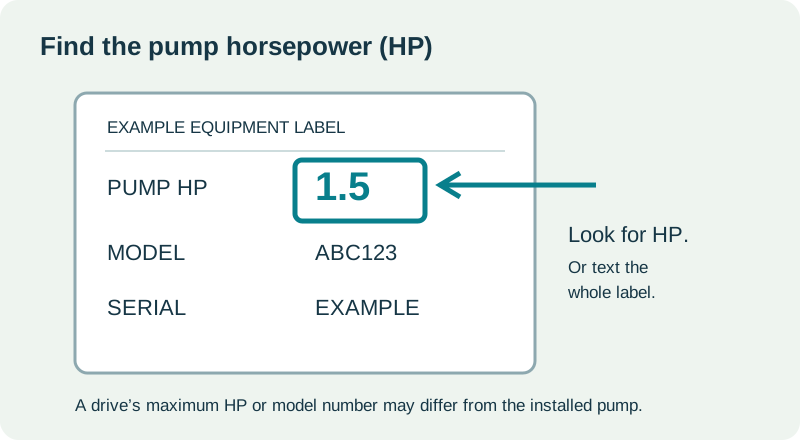
If you call or text us, pump HP helps.
Send the pump horsepower (HP), if known, plus a picture of the equipment and its label. This helps us bring the right equipment on the first trip. If you do not know the HP, a clear label photo is a good starting point.
01 — No water
Power, control boxes, resets, and supply checks
STEP 1
Identify the pump controls and HP.
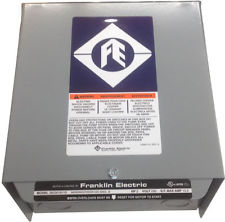
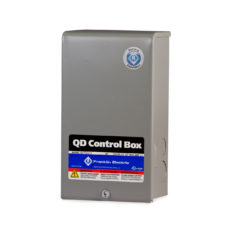
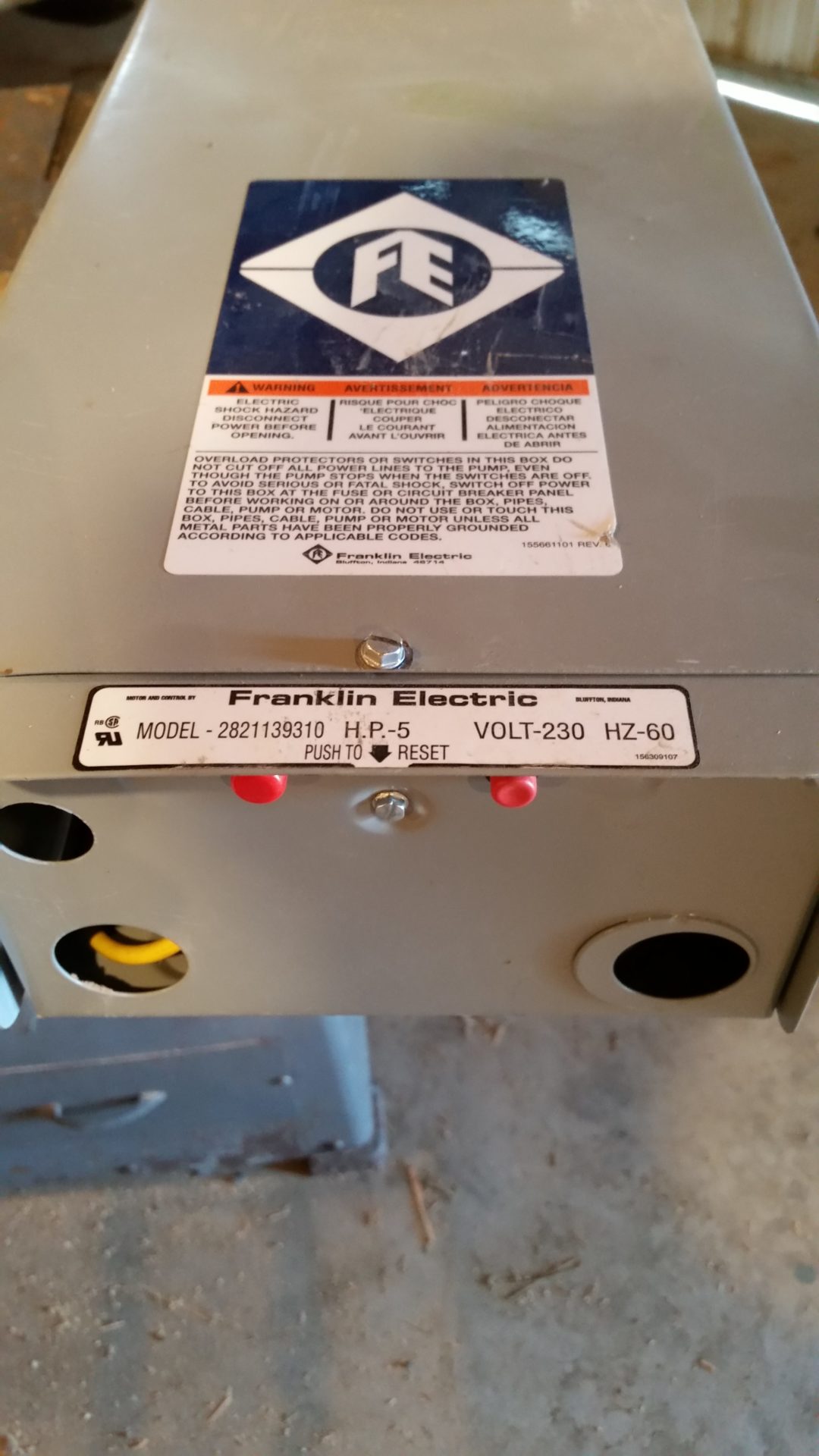
A conventional system may have a metal control box like the examples below, a small pressure switch near the tank, or both. Some systems have no separate control box. An electronic display or fault light usually points to a controller system.
Read accessible exterior labels or your installation record for the pump HP. A controller’s maximum HP or model number may not be the HP of the installed pump. Text a photo if the label is unclear.
STEP 2
Check the identified pump breaker.
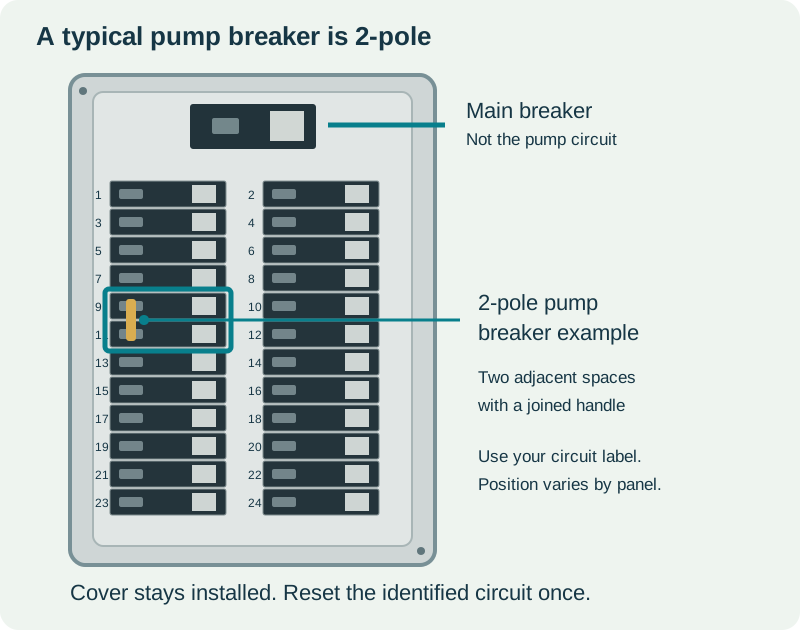
The pump breaker is almost always a 2-pole breaker in the systems we service: it occupies two adjacent spaces and has a joined handle, like the highlighted example. Some 120-volt pumps use a single-pole breaker. Use the actual circuit label; the pump breaker may be anywhere in the panel.
If a power outage is affecting the property, resolve that first. If the identified pump breaker is tripped, only operate it from a dry, safe location with the panel cover installed. Reset it once by moving it fully OFF and then ON.
If it trips again, leave it OFF and call us. Do not remove the panel cover or keep resetting it.
STEP 3
Look for an exterior overload reset.
1.5 HP and bigger control boxes have red reset buttons underneath, like the photo. If yours has an accessible exterior reset, press it once quite hard with the cover in place.
If the pump starts and then stops again, or the reset trips again, call or text us. If there is no exterior reset, continue below. Do not open the control box or remove wiring.
STEP 4
Try the covered pressure-switch check.
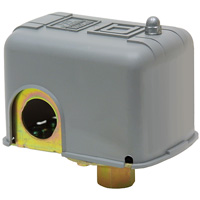
On a conventional system, find the small pressure switch near the pressure tank or water piping. Many are grey plastic boxes marked Square D, like the photo. A switch with sticking contacts can sometimes respond when the intact plastic cover is gently jarred.
First turn the identified pump breaker OFF from a dry location with the electrical panel cover installed. If the switch cover is dry, secure, and unbroken, give the outside of the plastic cover one light bump with your hand. Keep the cover installed. Do not use a tool, strike hard enough to crack it, or touch a loose or damaged switch.
Stand clear and restore power. If water returns, tell us this check helped: the switch or its pressure connection may still need service. If it does not help, continue below. Leave covers on and do not pry or hold the electrical contacts closed.
Does your switch have a little lever?
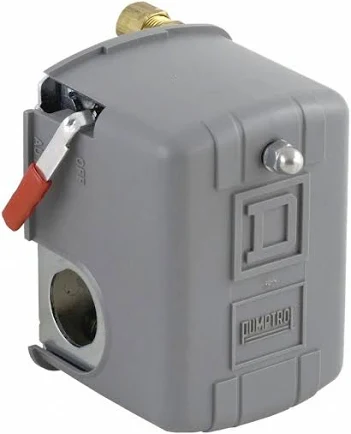
The photo shows a low-pressure-cutoff (M4) switch. This is not the pressure-switch style we normally recommend for these systems, but you may have one installed. Its cutoff can stop the pump after pressure falls too low.
With the dry, undamaged plastic cover secured in place and pump power on, use only the external lever. For this AUTO / START style, hold the lever approximately halfway between AUTO and START, at the momentary start/run position where the pump runs. Hold it only while pressure rebuilds enough for the pump to keep running when you release it back to AUTO. Follow your switch’s markings and manufacturer instructions.
If water does not return, pressure does not rebuild, or it stops again when released, stop and call or text us. The water source may be low or another fault may be present. Do not keep repeating this, and never tie, wedge, or fasten the lever in the start position.
A lever alone does not identify this reset function: some switches have a manual OFF lever instead. If the markings differ or you are unsure, text us a picture before operating it.
STEP 5
Check for a closed supply valve or filter restriction.
If plumbing or filter work was done recently, confirm that a known water-supply valve was not left closed. Only operate a valve you recognize, and do not reopen a line while someone is repairing it.
A plugged filter can also stop flow. If your filter has a labeled bypass, use its manufacturer’s bypass instructions to compare flow. Do not unscrew a pressurized filter housing. If you have a controller fault, use the lookup below.
STEP 6
Look for a water-line leak near the well.
Walk around the well casing and safely accessible water lines. New wet ground, pooling, bubbling, washed-out soil, or settling beside the casing can point to a leak at the buried pitless-adapter connection. A large leak can leave little or no water at the taps even when the pump runs.
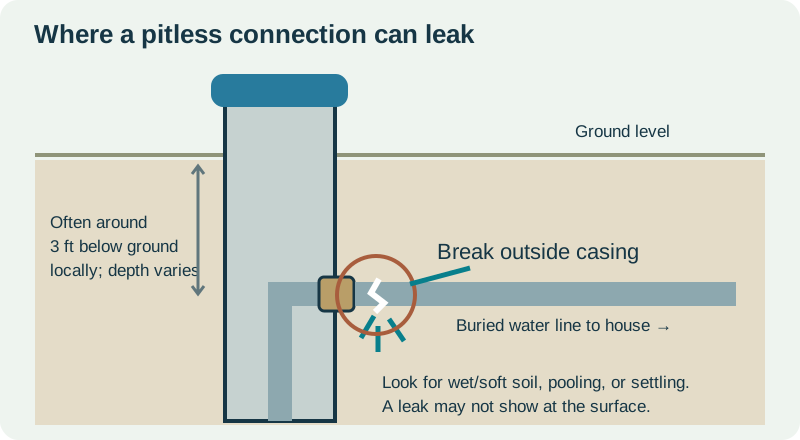
The surface can also look dry. Do not dig, remove the well cap, or disturb the conduit to investigate. The illustrated pitless-leak check below shows the area to watch.
Still no water?
Text us your name, service address, pump HP if known, and photos of the control box or controller. Tell us whether a reset changed anything. We can use those details to prepare for the service call.
02 — Low water pressure
Taps, valves, filters, and irrigation demand
STEP 1
Compare a few cold-water outlets.
Try more than one cold-water tap. If one fixture is weak but the others are normal, start with that fixture’s aerator, screen, or local valve. Clean a removable faucet aerator according to its instructions.
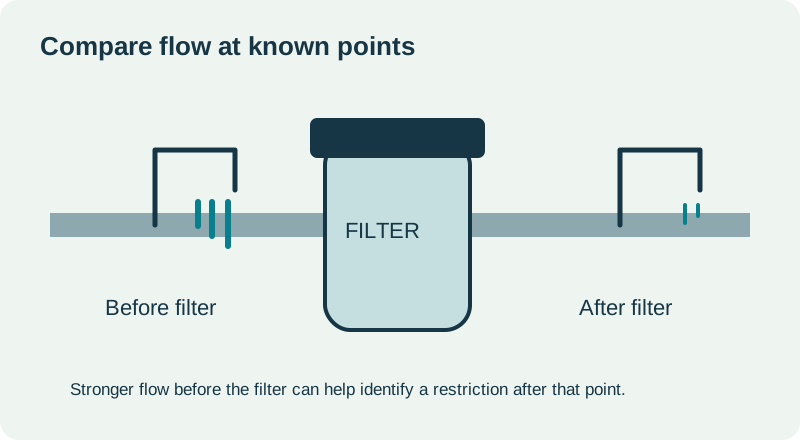
If you know which hose bib is before your filter or treatment equipment, compare its flow with an indoor tap. A strong flow before the filter and weak flow after it points toward a restriction in that part of the plumbing.
STEP 2
Check known valves and filters.
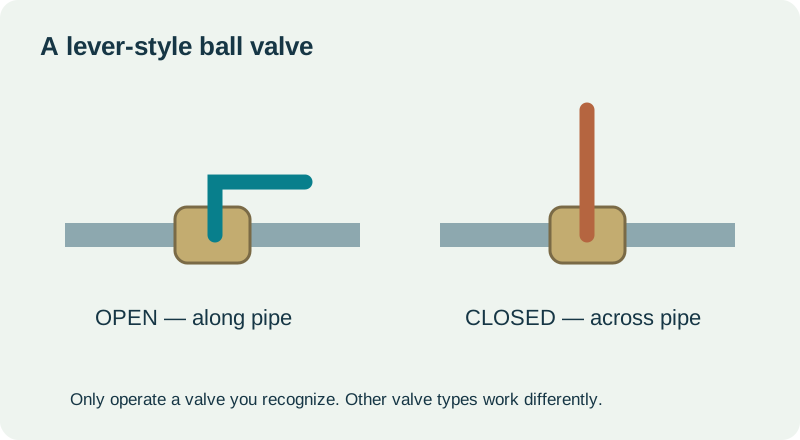
Look for a supply valve left partly closed after recent work. A lever-style ball valve is usually open when the handle follows the pipe, as illustrated. Other valve types work differently; do not force a stuck or unfamiliar valve.
A filter that is due for service may restrict flow. Use a labeled bypass only according to its instructions. Follow the shutdown and pressure-relief procedure before changing any filter.
STEP 3
Look for a leak at the buried pitless connection.
A broken pipe at the pitless adapter can send pumped water into the ground instead of to the house. This connection is just outside the well casing and is often around 3 feet below ground in the local installations we service; the actual depth and layout vary.
From the surface, look right beside the casing and along the buried supply-line route for new wet or muddy soil, standing water, bubbling or flowing water, soil washing out, a soft patch, or settling. The pump may run much longer than usual. A leak can stay underground without a visible puddle, so dry ground does not rule it out.
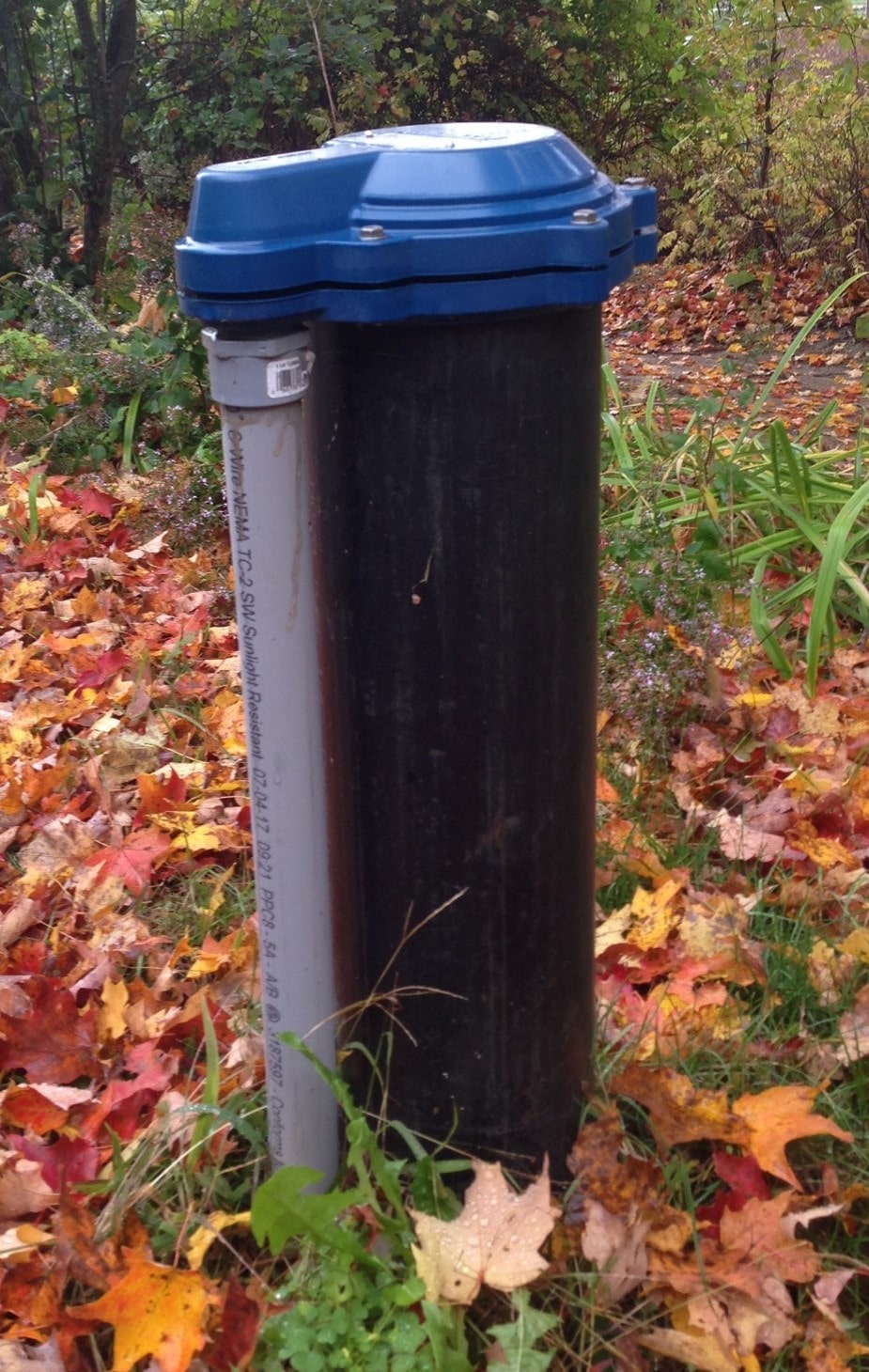
The photo shows the above-ground well casing and cap. The pitless connection and water pipe are below ground and are not visible in the photo. The grey pipe alongside this example is electrical conduit, not the buried water line.
Photograph a suspicious area from firm, dry ground and text us the pump HP if known. For a large leak or little/no water delivery, turn the pump off only at a safe, dry, identified breaker with its cover installed. Keep clear of wet electrical equipment. Leave the cap, conduit, and ground undisturbed; call us before excavation.
STEP 4
Reduce simultaneous water use.
Turn off irrigation or other large water uses and compare the flow again. If household flow improves, note which irrigation zone was running. A leak or demand beyond the well or pump’s capacity can reduce available flow.
If the problem remains throughout the property, call or text with the pump HP and photos of the equipment. Do not adjust pressure controls just to compensate for an unexplained loss of flow.
When you text us
Include the pump HP if known, whether all taps are affected, and whether bypassing a filter or turning irrigation off helped.
03 — Pump starts and stops frequently
Water use, tank type, and short cycling
STEP 1
Check whether water is still being used.
On a conventional system, the pump normally starts and stops as water is used. Very short cycles, a new cycling pattern, or cycling after normal water use stops deserve attention.
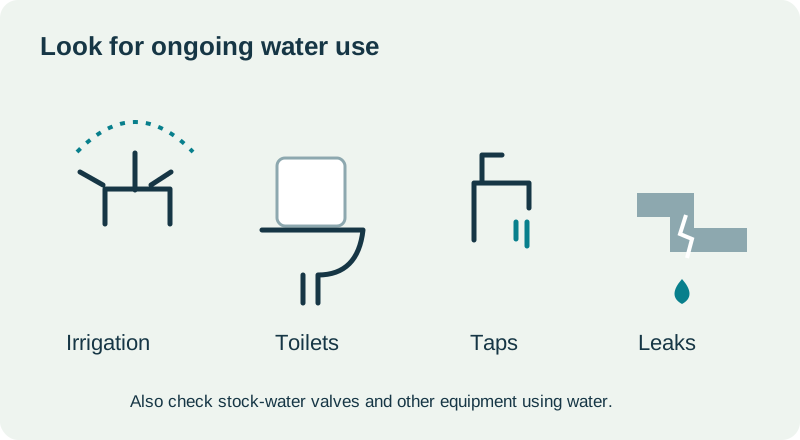
Turn off irrigation and check for running toilets, stock-water valves, dripping taps, and visible leaks. If cycling stops after you find a water use, that is useful information for the next step.
STEP 2
Identify the pressure tank type.
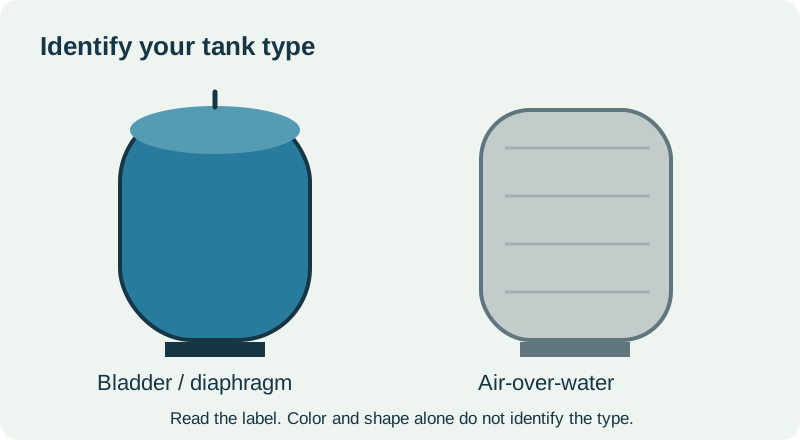
A bladder or diaphragm tank and a galvanized air-over-water tank manage their air differently. Read the tank label or text us a picture. Appearance alone is not enough to choose an air-charge procedure.
Incorrect tank air charge or a failed bladder can cause short cycling. Our tank FAQ explains the distinction and the manufacturer’s precharge guidance. Tank air checks require the correct shutdown and pressure-relief procedure.
STEP 3
Notice whether it happens mainly during irrigation.
A conventional pump can cycle when a zone uses less water than the pump supplies. The right zone size depends on the pump, sprinklers, well, and available water; there is no reliable sprinkler count based on HP alone.
If it is cycling every few seconds or less than 2 minutes, avoid continuing to run it that way. Call or text us with the pump HP, a tank photo, and which water uses cause the cycling.
Get the tank instructions
04 — Pump keeps running
Ongoing demand, visible leaks, and controller checks
STEP 1
Turn off known water use and listen.
A pump can run continuously while irrigation or another large water use is on. Variable-speed systems may also run steadily while supplying water.
Turn off irrigation and close taps, then check toilets, stock-water valves, and visible leaks. If the pump stops after the water use stops, that may be normal operation for that demand.
STEP 2
Look for a leak or loss of water delivery.
Walk only the safely accessible water lines and look for a burst pipe, flooding, or unexpected wet ground. Look right beside the well casing: the pipe can break outside the pitless adapter, often around 3 feet underground in local installations. Wet or bubbling soil, pooling, washed-out ground, or settling near the casing are clues. The surface can still look dry.
If the pump keeps running but little or no water is being delivered, avoid leaving it running unattended. Do not dig or remove the well cap to look for the leak.
For a burst pipe, flooding, unusual noise, or a pump that will not shut off after known use stops, turn the pump off if you can safely use its identified breaker from a dry location with the panel cover installed. Then call or text us.
STEP 3
Check the controller display and exterior label.
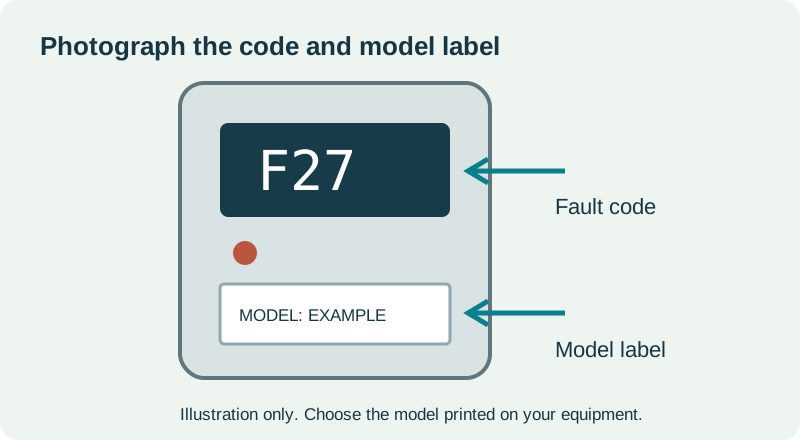
If the system has an electronic controller, note the fault code before switching power off when it is safe to do so. Use the matching controller model in the lookup. A fault can explain why the system is not operating normally.
Text us the pump HP if known, whether water is coming out, whether turning irrigation off helped, and photos of any fault code and equipment labels.
05 — Controller fault or message
Model-specific meanings and first steps
STEP 1
Match the model before matching the code.
Read the full model from the exterior label. The lookup includes Goulds Aquavar SOLO / AS, legacy Balanced Flow (BF), Franklin SubDrive Connect, Franklin SubDrive 75–150, Grundfos CUE 100, Franklin/Cerus X-Drive, Yaskawa iQpump1000, and Yaskawa iQpump605. BF and SOLO/AS share many blink codes, but use the family on your own label. Codes differ between models and firmware revisions.
For numeric families, enter the exact F or A code or the flash count. On older Franklin SubDrive units, rapid continuous flashing is “Rapid”. For Cerus and Yaskawa units, enter the exact letters/numbers shown, such as BKPI, oC, or LowWL. Choose Fault or Warning/alarm if you know the display status; otherwise the lookup shows each matching variant. Parenthesized diagnostic IDs are not flash counts.
STEP 2
Look up the meaning and first steps.
Choose the exact controller family and enter its code or flash count. The result explains what the controller is reporting, what you can try from outside the equipment, and when service is needed.
Controller fault lookup
See this model’s listed codes
STEP 3
Use the remedy for that fault.
A dry-run or overheating fault can have useful first checks. A short circuit, ground fault, or locked motor needs service rather than repeated resets. Follow the guidance shown for the selected fault and keep covers in place.
If your model or code is not listed, text us the display, model label, and pump HP if known. We will help identify the right instructions.
ADVANCED TROUBLESHOOTING
Before electrical testing, read this.
For people trained and equipped to perform the specific electrical test safely.
Shock, arc flash, stored energy, and equipment damage
Electrical testing can cause serious injury or death, fire, unexpected pump starting, or permanent damage to a motor or controller. Capacitors and VFDs can retain dangerous energy after power is disconnected. A multimeter and this website do not make a person qualified.
Follow the manufacturer’s instructions for the exact equipment. Internal work requires proper isolation, lockout, stored-energy precautions, and verification of absence of voltage. Energized tests require additional training, protective equipment, and suitable instruments. Never bypass a safety device.
Stop if you are unsure how to perform a test safely. Keep the covers installed and contact Basin Pump Service instead.
Still need a hand?
Call or text your name, service address, pump HP if known, and photos of the equipment. We can prepare for the first visit.